
Your assets
Funnels and landing pages
Ten funnels and landing pages, built and connected before handover. These are the ones in the account — read off the builder, not a wishlist — and each is configured for a job an Australian broker actually has.
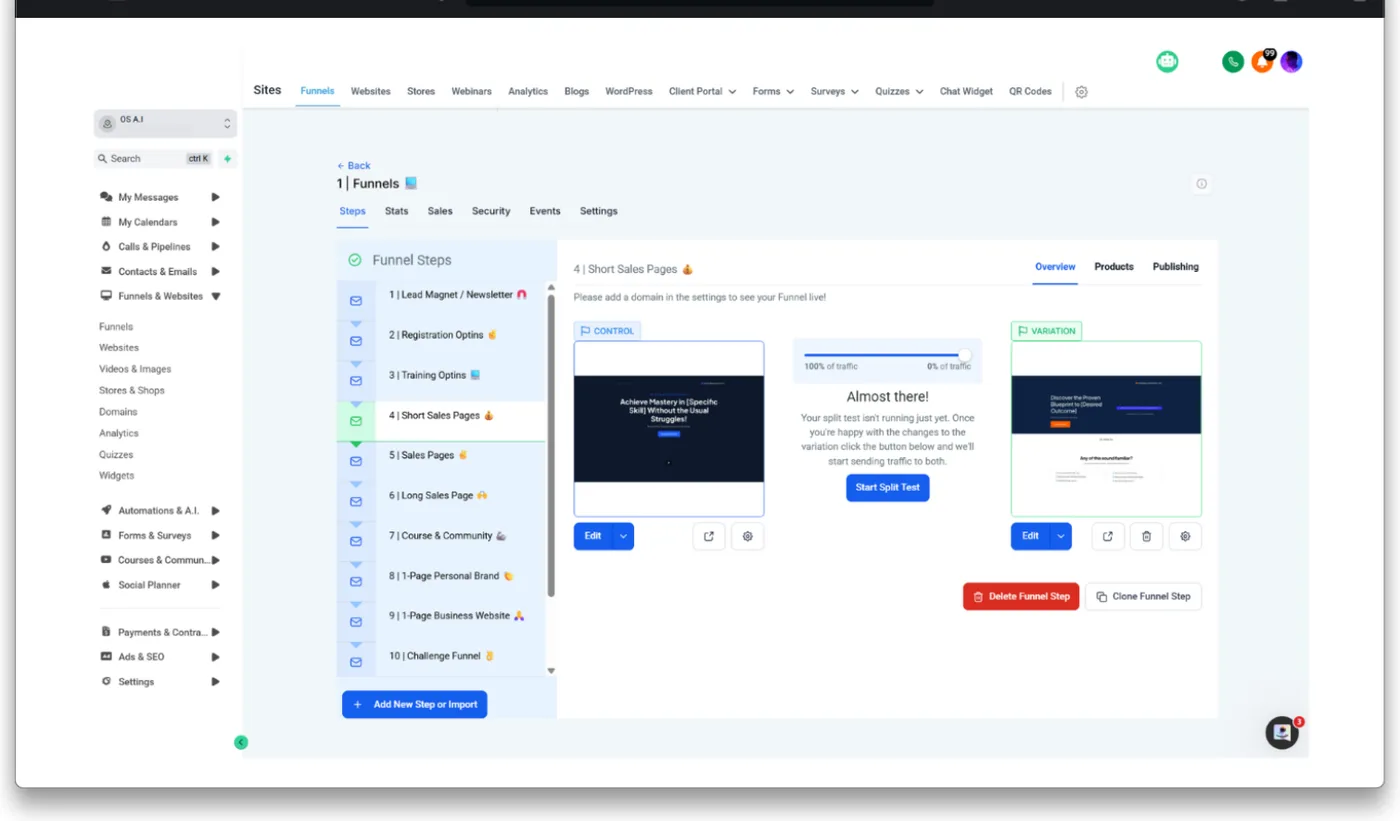
The ten that ship
Each one exists in the account today. The broker use beside it is what we configure it for — the funnel is general, the wiring is not.
- 01
Lead magnet / newsletter
A borrower guide or rate update in exchange for an email. The top of everything else.
- 02
Registration opt-in
Webinar and seminar sign-up, with the reminder sequence already attached.
- 03
Training opt-in
Gated video or masterclass — first-home buyer, investment structuring, refinancing.
- 04
Short sales page
One offer, one action. The page a paid ad should land on.
- 05
Sales page
The full case for a service, with the fact-find as its call to action.
- 06
Long sales page
For a considered decision — commercial, SMSF, development finance.
- 07
Course and community
A borrower education track, gated and drip-fed.
- 08
1-page personal brand
The broker, not the brokerage. What a referral partner sends someone to.
- 09
1-page business website
A complete site in one page for a solo broker who does not want one.
- 10
Challenge funnel
A multi-day sequence — a deposit challenge, a rate-review week.
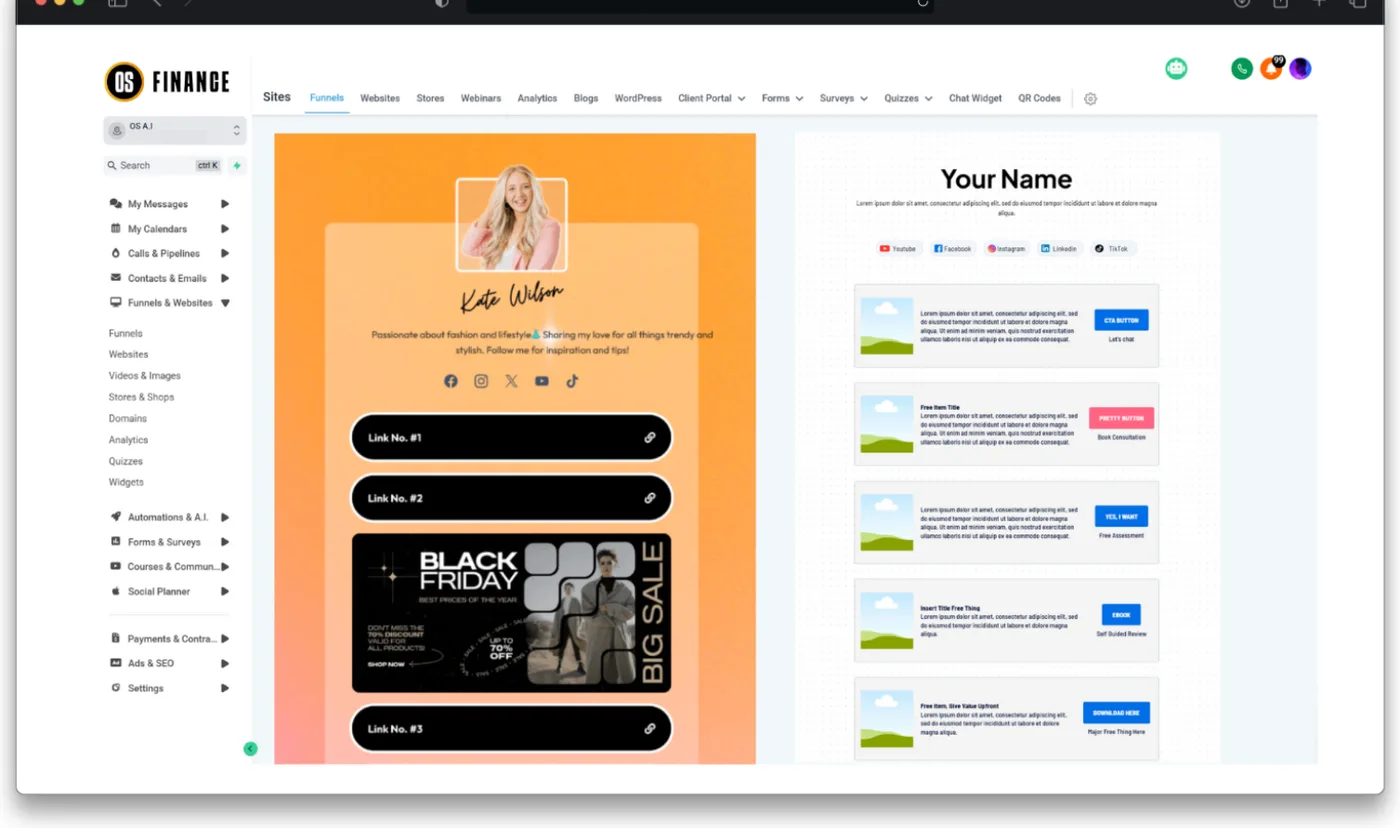
What is wired behind every one
A page that captures and does nothing with it is a form. These are connected before handover.
- The form writes to the client record, not to an inbox
- A QR code per page, so a printed card lands on the same asset
- Split testing on the pages where it is worth running
- The follow-up sequence attached and switched on, not left as a draft
- A booking step that puts the appointment straight into your calendar
- Mobile layouts built at the same time as desktop, not afterwards
What it does not do
The pages are built during onboarding on your brand. They are not a self-serve template library you assemble yourself.
This is the asset behind Get more leads.
See it in your own account
Every capture on this page is the live Finance OS account, not a mock-up. A walkthrough is half an hour in it on your own workflow, and a straight answer on what is built and what is not.